1. Select the "Tracks" saved list.
2. Choose the track you wish to delete.
3. Scroll down and tap the red highlighted "Delete" button.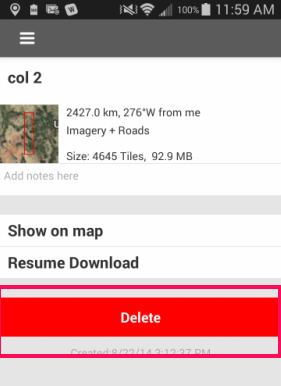
You can also delete multiple tracks at once by long-pressing the names of the tracks you want to delete and tapping the garbage can icon on the right top of the screen. 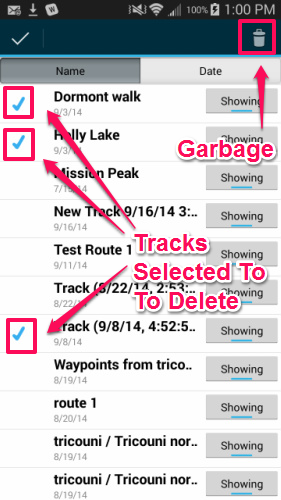
Delete A Track (or Route, Waypoint or Map)
Have more questions? Submit a request
Article is closed for comments.
0 Comments